
Tuner & musician’s toolkit for Android
Find yourperfect pitch.
A precision tuner and a complete musician’s toolkit, crafted for Android. Tune your guitar, bass, ukulele or mandolin in seconds — then keep time, explore new tunings and make it your own.
- Guitar
- Bass
- Ukulele
- Mandolin
- 3Tuning modesAuto strings, Guided and Chromatic
- 4InstrumentsGuitar, bass, ukulele and mandolin
- 6Musician’s toolsFrom metronome to chord library
- 10Accent coloursMake it look like yours
01 The tuner
Tune with confidence.
Play with freedom.
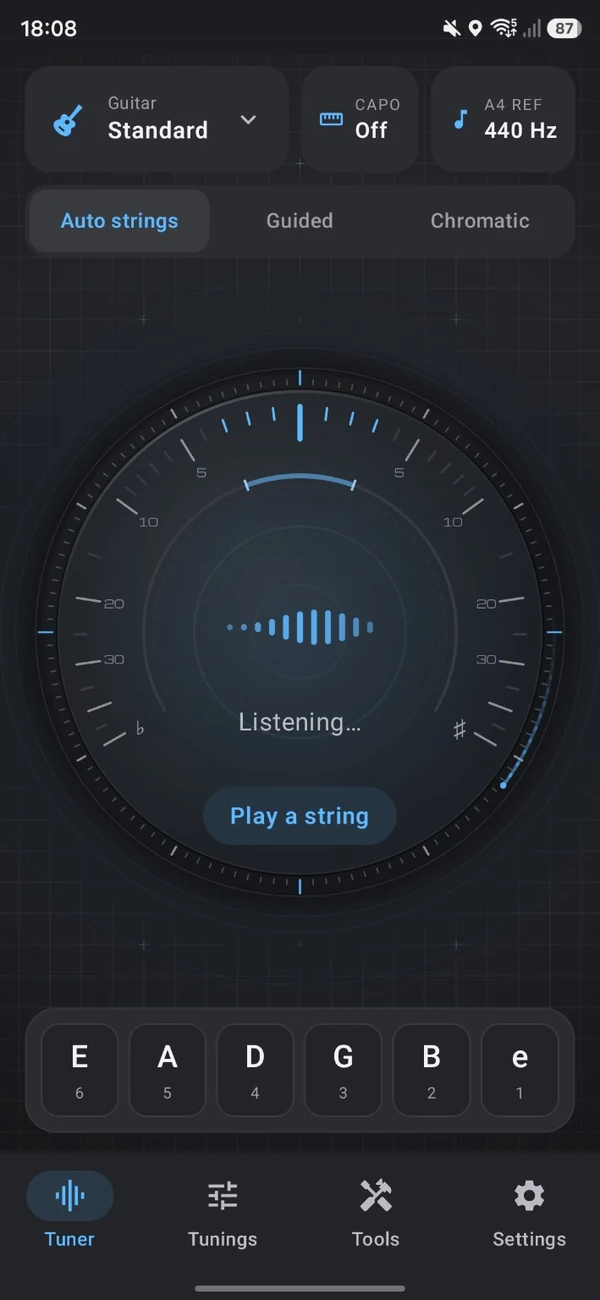
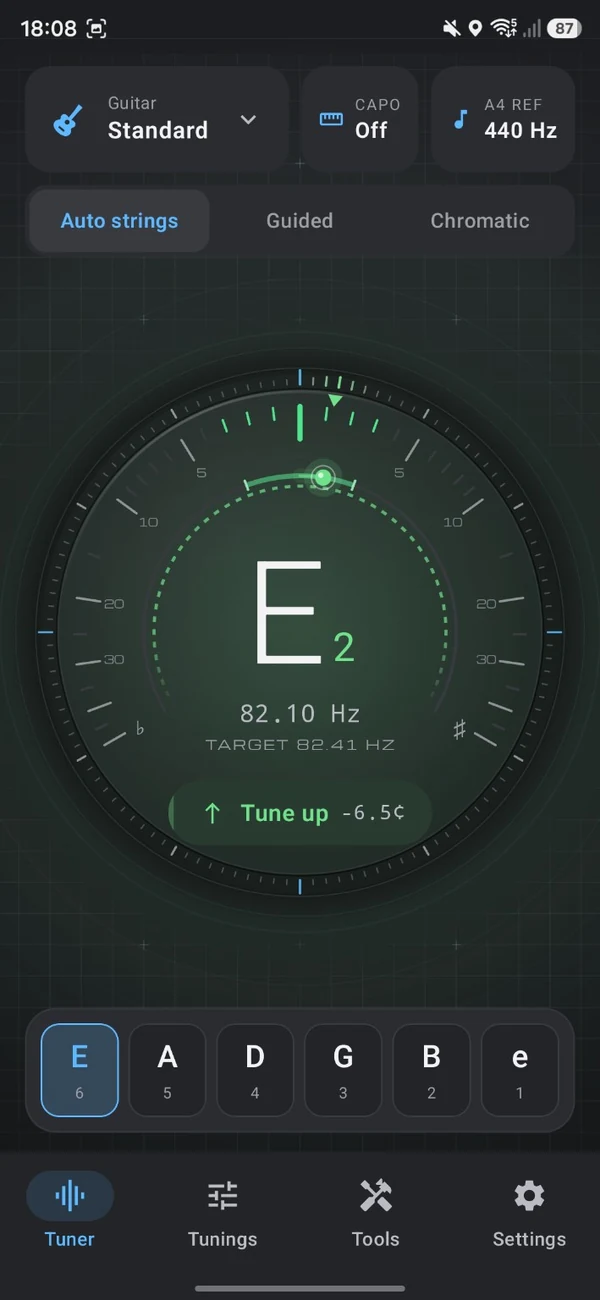
A responsive dial shows exactly where you are and which way to go — so you spend less time tuning and more time playing.
-
Three ways to tune
Auto strings follows whichever string you play. Guided and Chromatic modes are a tap away when you want a different approach.
-
Precision you can see
Your note, its frequency and the target, down to the cent — with a clear prompt telling you which way to turn.
-
String-by-string progress
Every string is ticked off as it comes into tune, so you always know what’s left. Reset for a fresh start at any time.
-
Your reference, your capo
Set the A4 reference and your capo position right from the tuner, and TuneForge keeps up.
02 Tunings
Explore new tunings.
Or make your own.
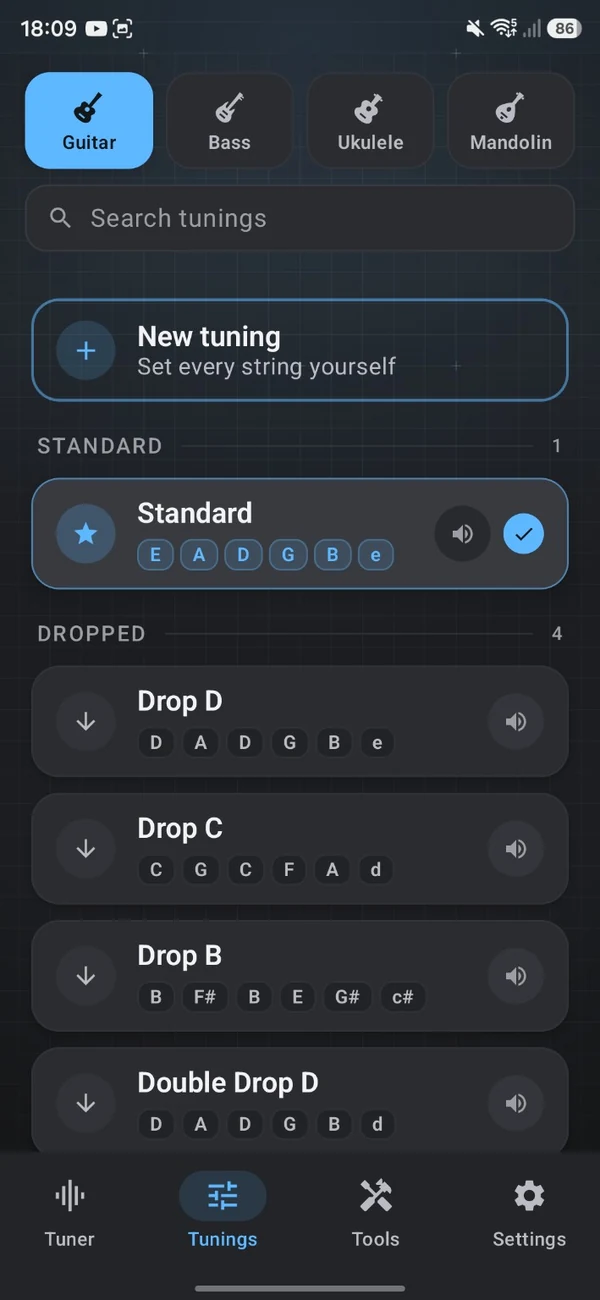
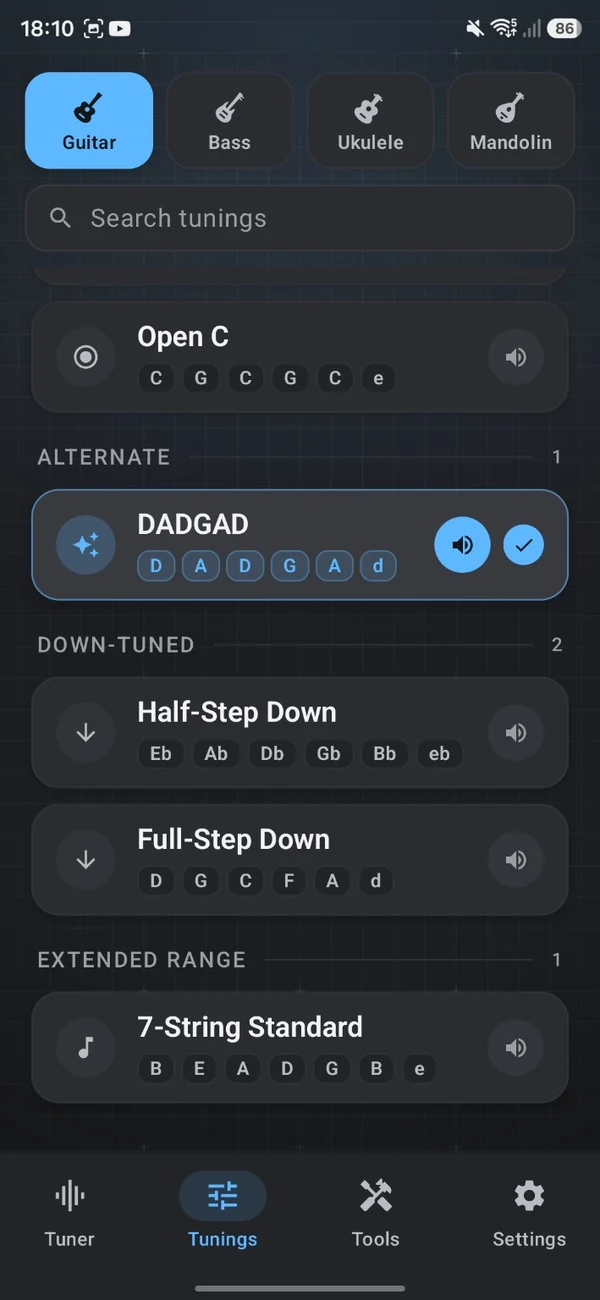
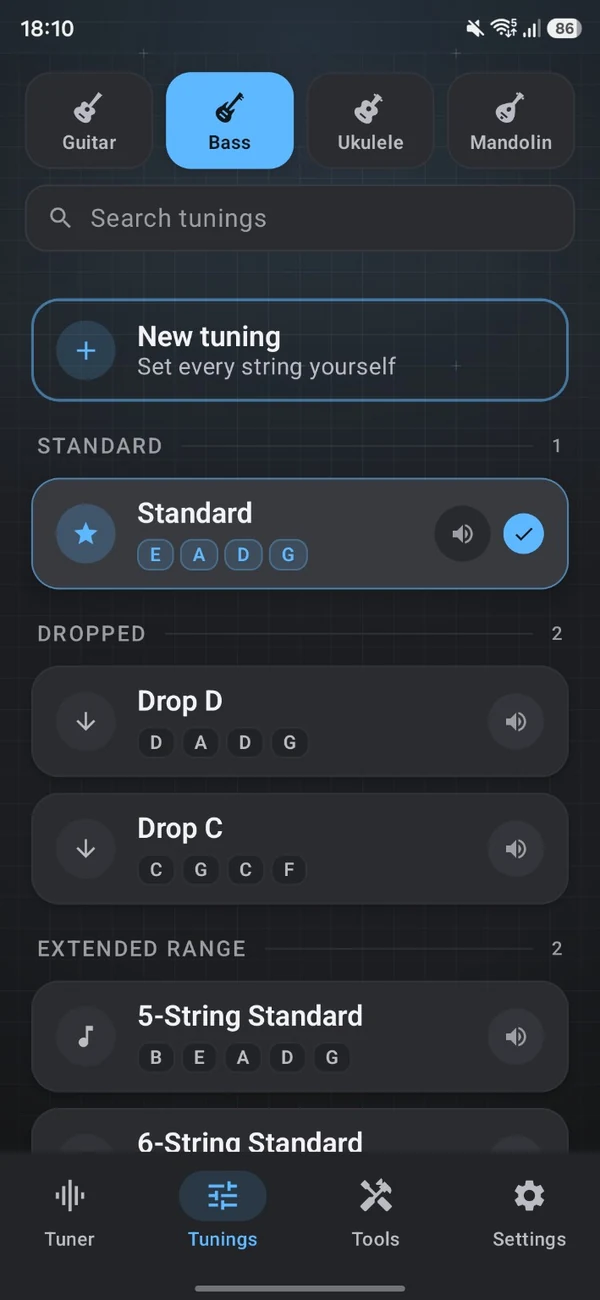
Guitar, bass, ukulele and mandolin each have their own library — standard, dropped, alternate and extended-range tunings, with search to find them fast.
03 The toolkit
More than a tuner.
Six tools, one app.
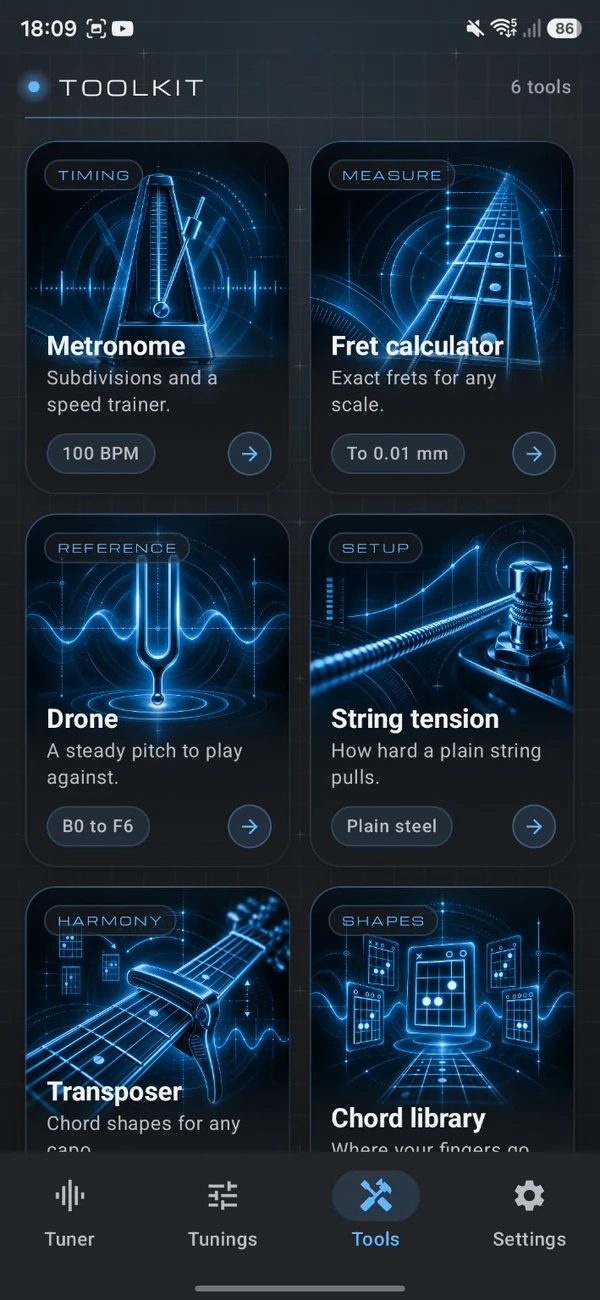
Everything a practice session needs, in one place — for keeping time, training your ear, dialling in your setup and finding the right shapes.
-
 Timing
Metronome
Keep perfect time with subdivisions, tap tempo and a built-in speed trainer.
-
 Measure
Fret calculator
Exact fret positions for any scale length, to within 0.01 mm.
-
 Reference
Drone
A steady reference pitch to play or sing against, anywhere from B0 to F6.
-
 Setup
Setup
String tension
See how hard a plain steel string pulls, for any gauge you choose.
-
 Harmony
Transposer
Find the right chord shapes for any capo position, without the mental maths.
-
 Shapes
Chord library
See exactly where your fingers go, one clear chord shape at a time.
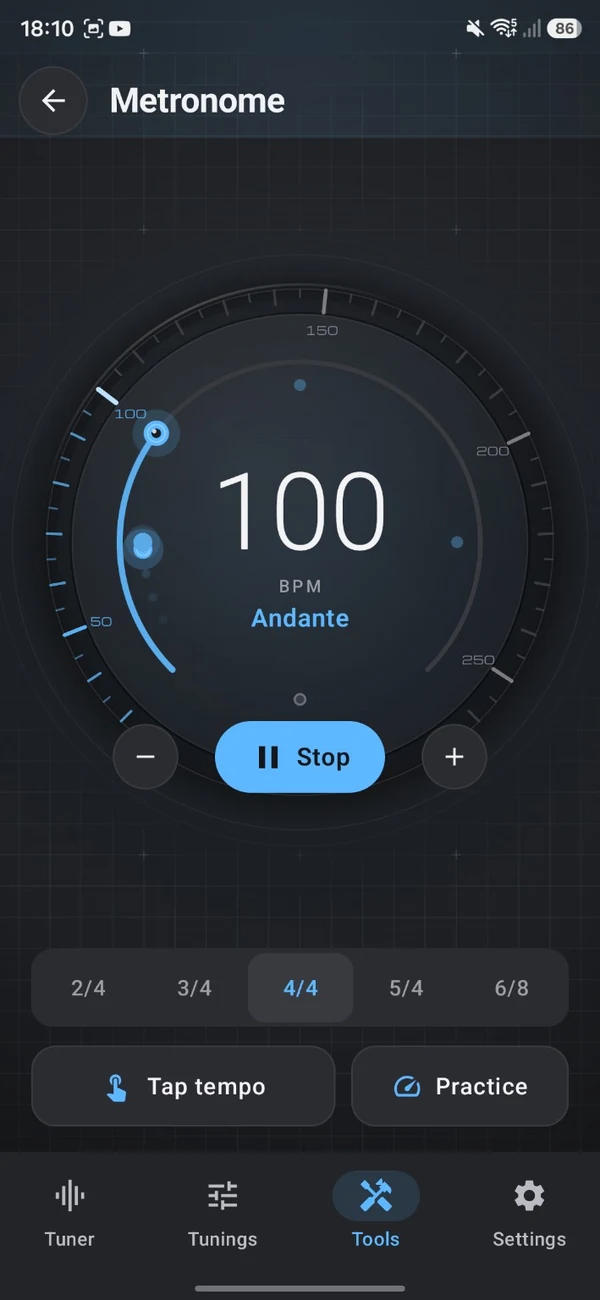
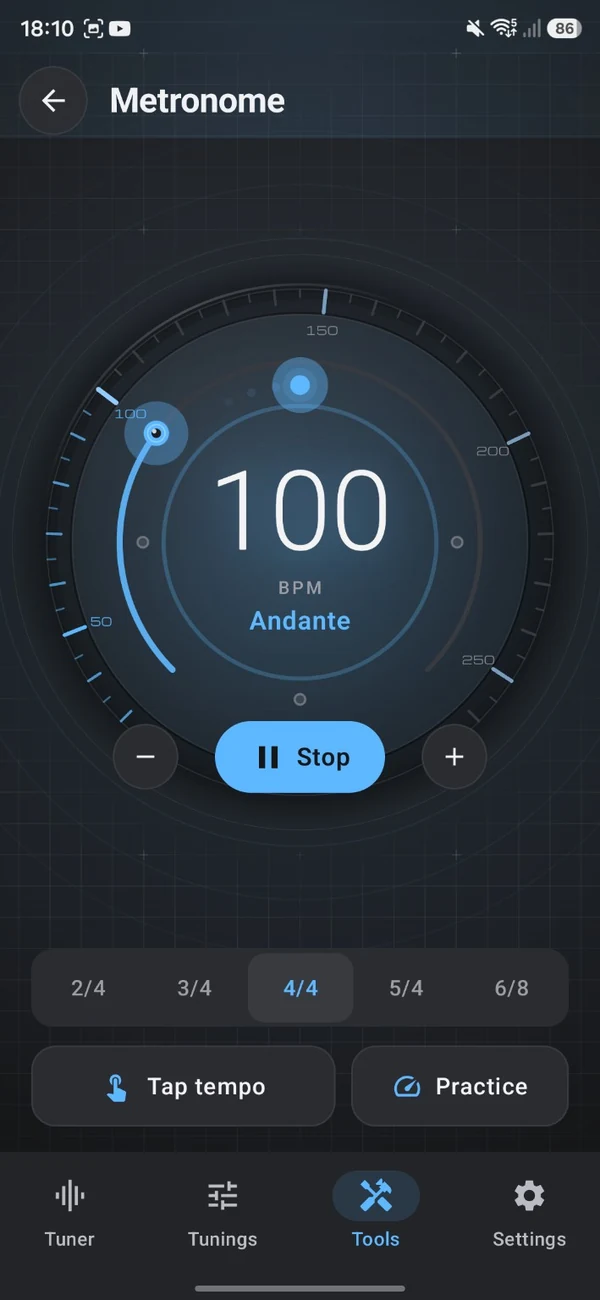
Spotlight Metronome
Find your rhythm.
Follow the pulse.
Tap in a tempo, choose a time signature and let a clear visual pulse carry you through every bar.
- Tap tempo to match any song
- 2/4, 3/4, 4/4, 5/4 and 6/8 time
- Practice mode with a speed trainer
- Tempo markings, like Andante, at a glance
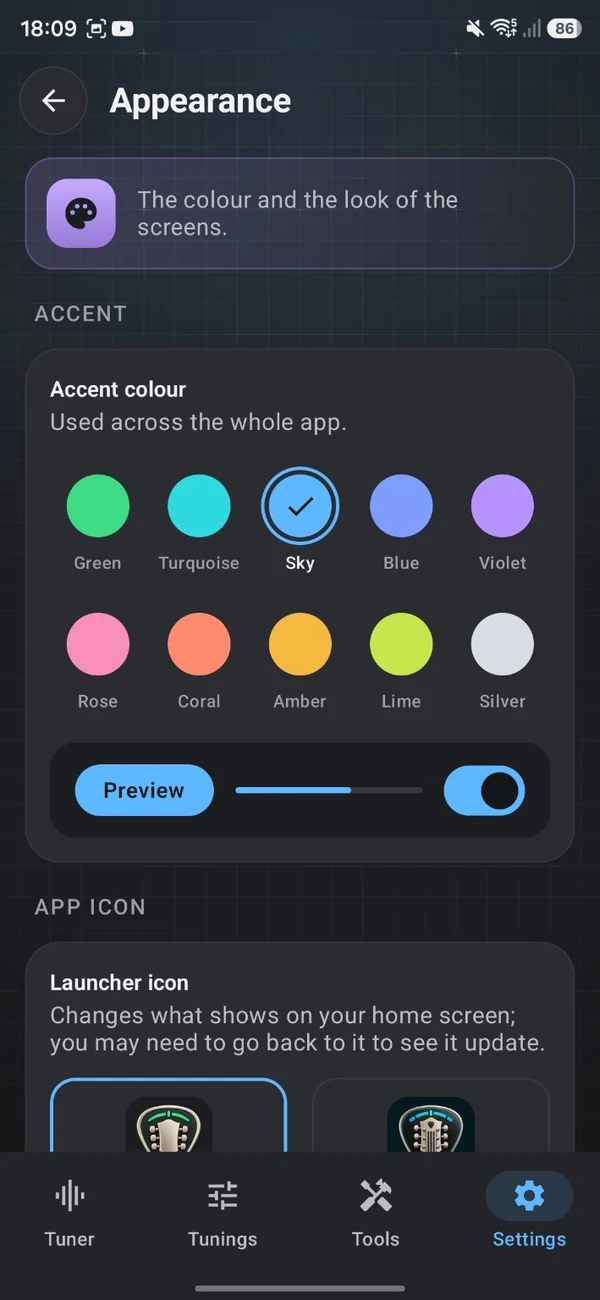
04 Appearance
Your tools.
Your style.
Choose an accent colour for the whole app, pick the launcher icon for your home screen, and decide whether the fine instrument grid sits behind your screens.
Tap a colour to preview it here. Selected: Green
05 The details
The little things.
Done properly.
Search every library
Type a name and jump straight to the tuning you’re after.
Hear it first
Listen to a tuning’s notes before you commit to it.
Extended range
7-string guitar and 5- and 6-string bass tunings are ready to go.
Your launcher icon
Choose the TuneForge icon that looks best on your home screen.
Instrument grid
A fine measurement grid behind the screens — on or off, it’s your call.
Tempo markings
See the classical tempo name, like Andante, as you set the beat.
06 FAQ
Before you
strike a chord.
A few things you might like to know before your first session.
Which instruments can I tune with TuneForge?
Guitar, bass, ukulele and mandolin each have their own tuning library. For anything else, Chromatic mode shows the nearest note to whatever you play.
Can I use alternate or custom tunings?
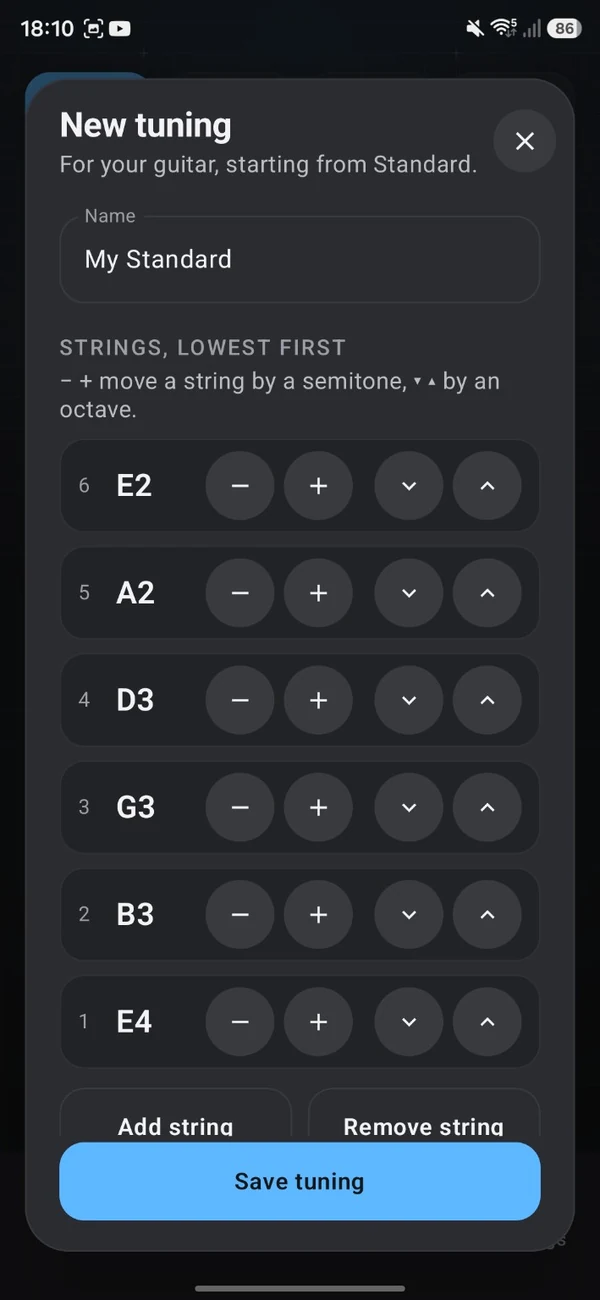
Yes. Alongside Standard you’ll find dropped tunings such as Drop D and Drop C, alternate tunings like DADGAD and Open C, down-tuned options and extended-range tunings. You can also build your own: move each string by a semitone or an octave, add or remove strings, and save it to your library.
What’s in the musician’s toolkit?
Six tools: a metronome with subdivisions, tap tempo and a speed trainer; a fret calculator; a reference drone; a plain-string tension tool; a transposer for playing with a capo; and a chord library.
Why does TuneForge need my microphone?
The tuner listens to your instrument to work out which note you’re playing and how close it is to pitch. Sound is analysed in real time on your device — it isn’t recorded or uploaded. You can read more in our Privacy Policy.
Can I change how TuneForge looks?
Yes. Choose from ten accent colours — Green, Turquoise, Sky, Blue, Violet, Rose, Coral, Amber, Lime and Silver — pick your launcher icon, and switch the instrument grid background on or off.
Where can I get TuneForge?
TuneForge is coming soon to Android. As soon as it’s available, the download buttons on this page will take you straight to Google Play.
Does this website track me?
No. This site doesn’t use cookies, analytics or tracking of any kind, and our fonts and images are served from the site itself. Our Privacy Policy has the details.
Your next session starts here
Good music
starts in tune.
Bring a little precision to your passion. Your instrument will thank you.
TuneForge is getting ready for Google Play. Stay tuned.